At a Glance
Most UK charities now use AI in some form. This guide explains what AI can do for a small charity team, which jobs should stay with people, and how to start safely with the data you already hold.
Most charities already use AI
79% of charities now use AI routinely, according to the Charity Digital Skills Report 2026. Most of that use is everyday work: 63% use AI for admin and project management, and 45% for grant fundraising.
The same report shows the gap. More than half of charities (56%) say limited skills are the biggest barrier, and only 36% of small charities have an AI policy. Many teams use a chatbot to help with writing, but haven’t connected it to the information that matters most: their supporters, gifts, volunteers and projects.
What AI can do for a small charity team
AI is most useful for the jobs that take up an afternoon and that nobody enjoys. When it can read your own records, it answers questions about your charity, not just general ones. Here are a few examples.
Keep more of your donors
Find the supporters who gave last year but haven’t given this year, while there’s still time to ask them again. You get each name with their last gift and how they like to be contacted, so the next step is a personal message, not a spreadsheet. Our guide to donor retention strategies covers what to say next.
Report to trustees and funders faster
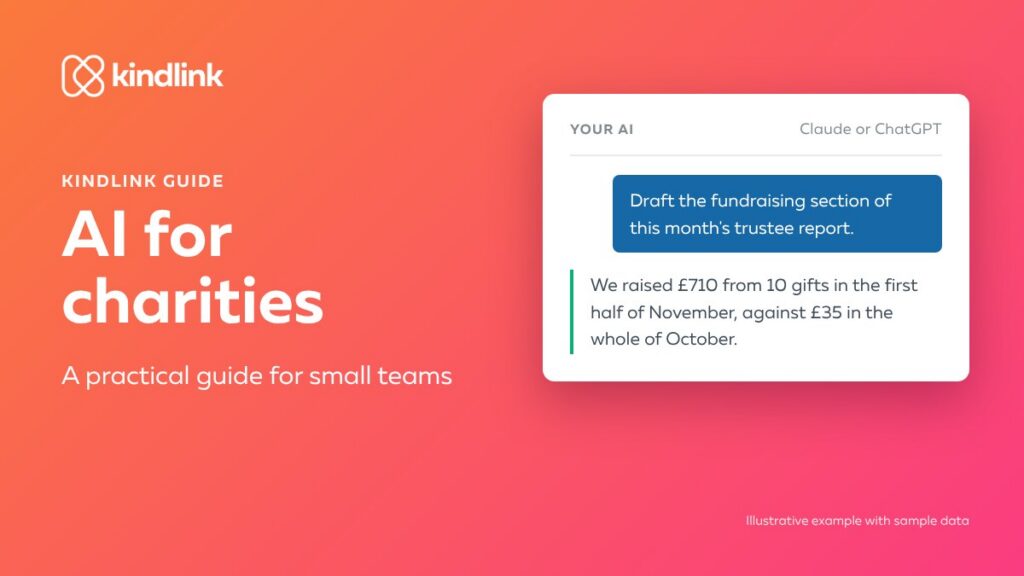
The fundraising section of a trustee report starts with the same questions every time: what came in, from how many people, and how it compares with last year. AI can draft that section from your own figures. You check it, add the context only you know, and send it.
Know a supporter before you call
Before you ring a major donor, get a short summary: what they’ve given, which projects they care about, their Gift Aid status and how they like to be contacted.
Look after your volunteers
See volunteer hours by project, and spot people who haven’t logged any hours for a while. A quick, personal check-in often keeps a volunteer who was quietly drifting away.
Plan your next appeal
Look back at when gifts peaked last year and which projects brought them in, and use that to plan the timing and focus of your next appeal.
These are only a few of the many things AI can help with. The same approach works for memberships, events, Gift Aid and anything else your charity records.
What stays with people
AI is quick, but it can get things wrong. Keep these jobs with your team:
- Read every draft before it goes to a donor, trustee or funder.
- Decide who gets asked for support, and how.
- Check every figure in a report against your records.
- Keep relationships personal. AI can tell you who to call, but the call is yours.
Keep control of your data
Supporter records are personal data, so set a few simple rules before you start:
- Decide what the AI can see. Give it the records a task needs, and nothing more.
- Respect opt-outs. Supporters who don’t want to be contacted stay out of any contact list the AI helps you build.
- Use totals for trustees and funders. Reports rarely need individual names.
- Write it down. A one-page AI policy that says which tools you use, for what, and who checks the results is enough to start.
The Information Commissioner’s Office has guidance on AI and data protection if you want to go further.
How to start
- Pick one job that takes too long, such as the monthly update for trustees.
- Get your data in one place. AI can only answer from the records it can see. If gifts, supporters and volunteers sit in separate spreadsheets, bring them together in a charity CRM first.
- Use AI for that one job for a month, and compare the time it takes with before.
- Agree who checks the results before anything is sent.
- Add the next job once the first one works.
If you’re choosing a CRM, our list of key features to look for in a charity CRM will help.
How KindLink helps
KindLink is a charity CRM that keeps donations, supporters, Gift Aid, volunteers and projects in one place. KindLink now integrates with Claude and ChatGPT, so your team can use the AI it already knows on your own KindLink data.
- We set it up with you in one session, train your staff and give you prompts that already work.
- KindLink sends nothing to any AI. Your charity decides what its AI sees, and we set it up to read your data, never to change it.
- It’s included in the Expert plan, at no extra charge. You keep your own Claude or ChatGPT subscription.
Less time on admin means more time for your cause. See how AI works with KindLink.

Iskren Kulev
CEO
Iskren has been leading for the past 10 years a SaaS business providing services for corporate philanthropy, CSR management, volunteer, and sustainability software. In addition, his company (KindLink) supports thousands of charities with a fundraising and non-profit CRM platform. Iskren's career started in online payment processing and mobile POS solutions helping SMEs accept digital payments.